On Record app icon: coral audio bars turning into navy lines of notes

On Record

Private meeting notes, made on your Mac.

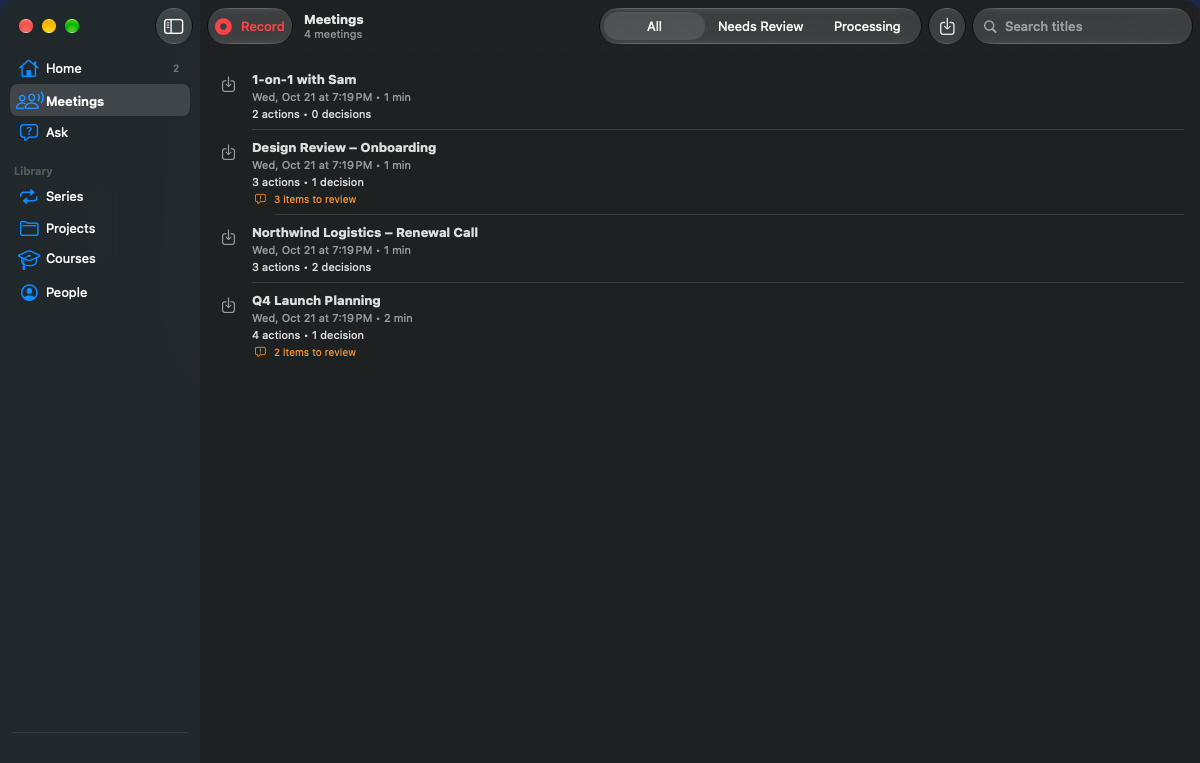
On Record listens to your meetings and writes them up — summary, decisions, action items and a full transcript — with every point linked to the moment it was said. All of it is made on your own Mac.

Coming soon to the App Store
  • Mac
  • iPhone
  • iPad
  • Apple Watch
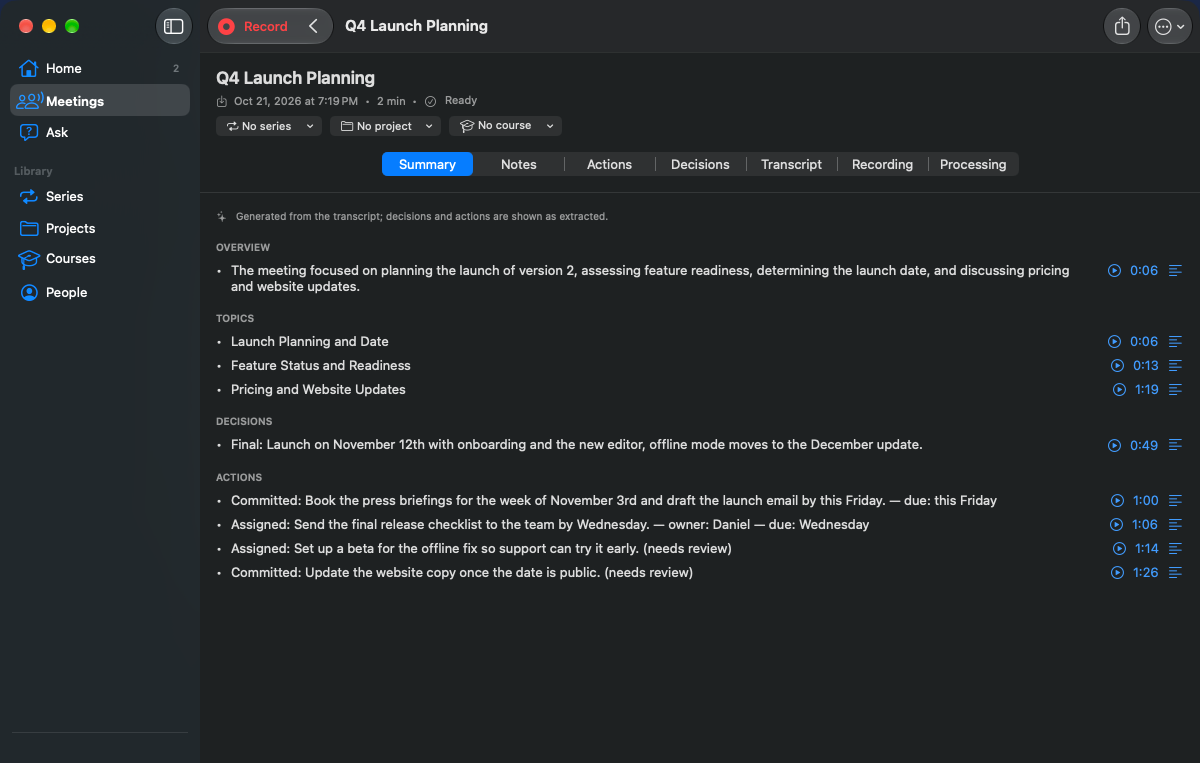
On Record for Mac showing a meeting summary with topics, decisions and actions
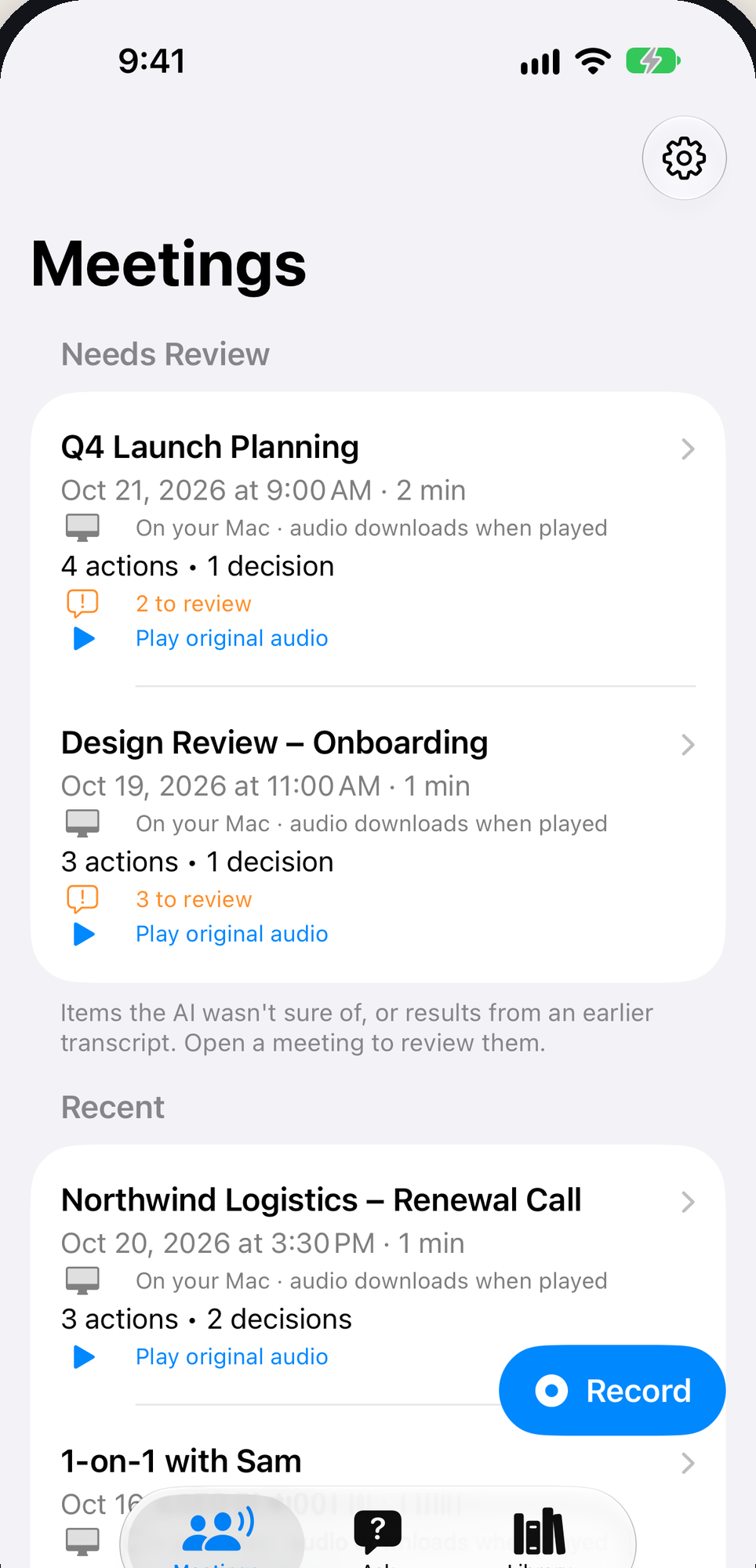
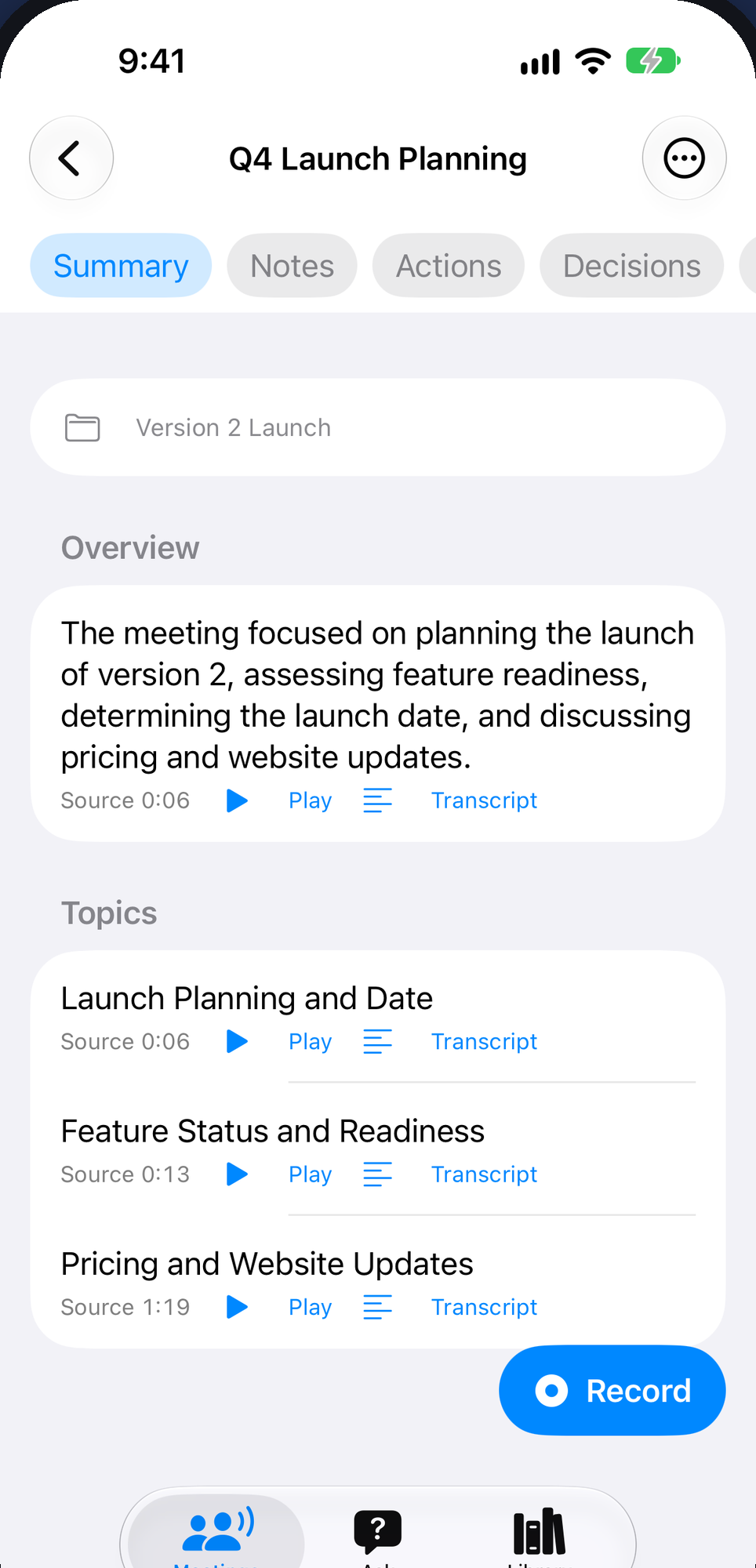
On Record on iPhone showing the summary of a meeting called Q4 Launch Planning, with each point linked to its source in the recording

Overview

Why On Record

On Record turns a recording into a clear write-up: a summary, the decisions that were made, the action items with owners and due dates, and a full transcript with who said what.

Every point links back to the exact moment it was said, so you can check it with one tap instead of taking the AI’s word for it.

Transcription, speaker detection and the AI writing all run on your own Mac, using models you download once. There are no On Record servers, no account to create and no meeting bot joining your calls.

How it works

Capture. Understand. Remember.

  1. 01

    Record anywhere

    On your Mac, iPhone, iPad or Apple Watch — or import audio files you already have.

  2. 02

    Your Mac writes it up

    Transcription, speaker detection and the AI writing run on your Mac, with models you download once.

  3. 03

    Check, ask, share

    Every point links to its moment. Ask questions across meetings. Export when you choose.

Features

What it does

Check every point

Each summary point, decision and action item links to the moment in the recording. Tap to hear it, or jump to that line in the transcript.

  • Points that need a second look are marked, so you can confirm or reject them.
  • Correct the transcript any time — the original is always kept.
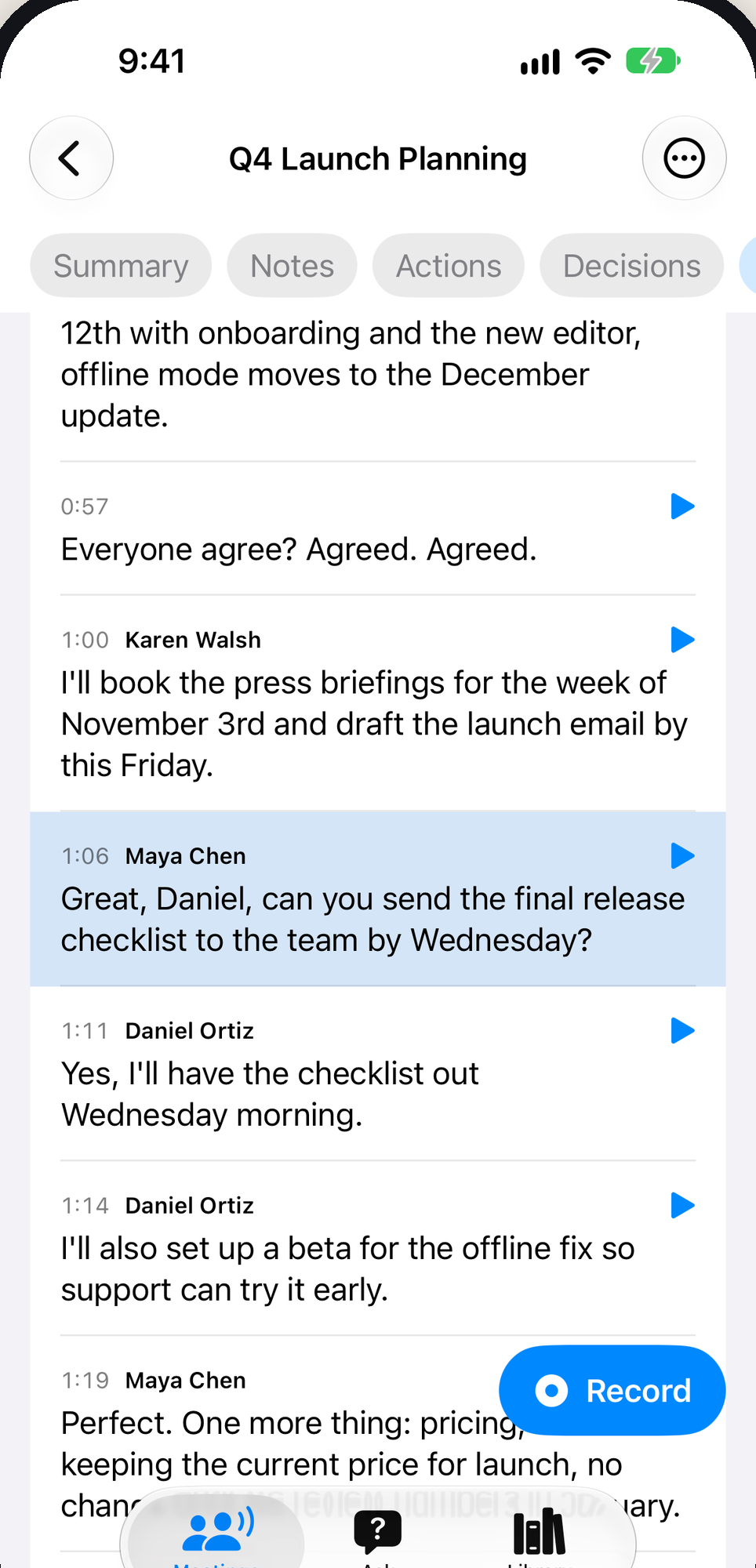
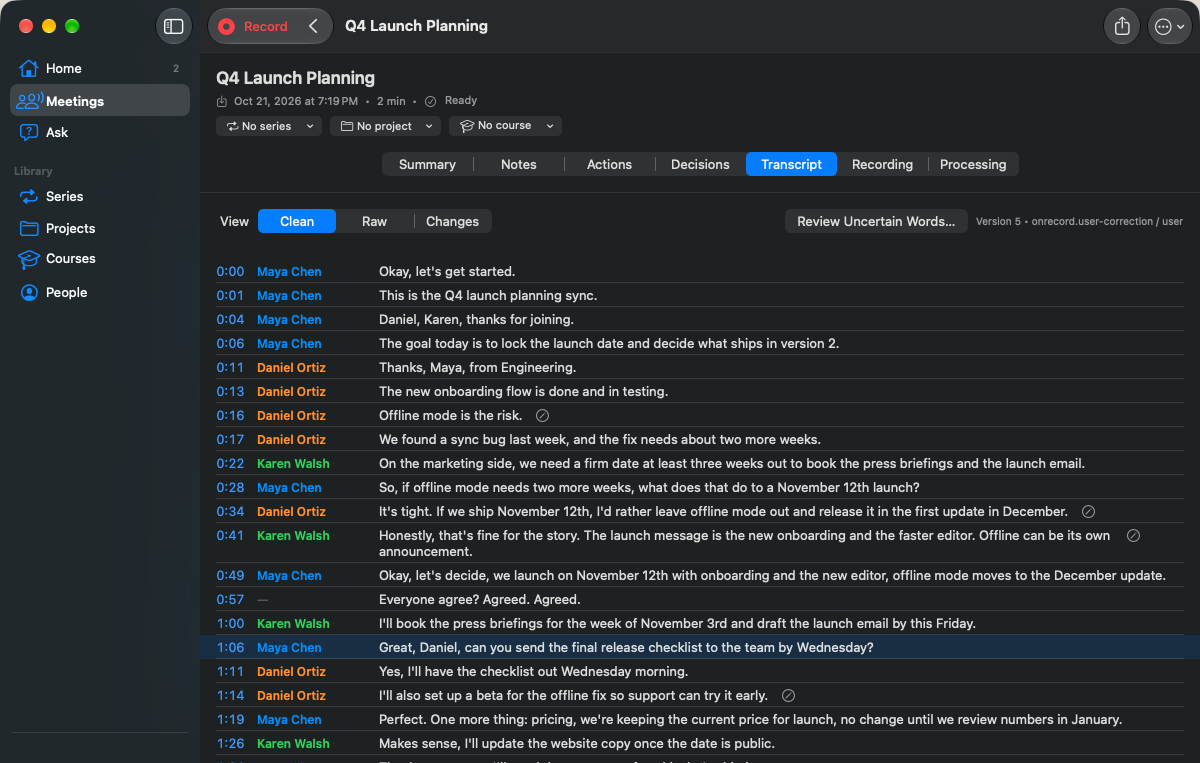
On Record transcript on iPhone, split by speaker, with a play button on every line

Never lose an action item

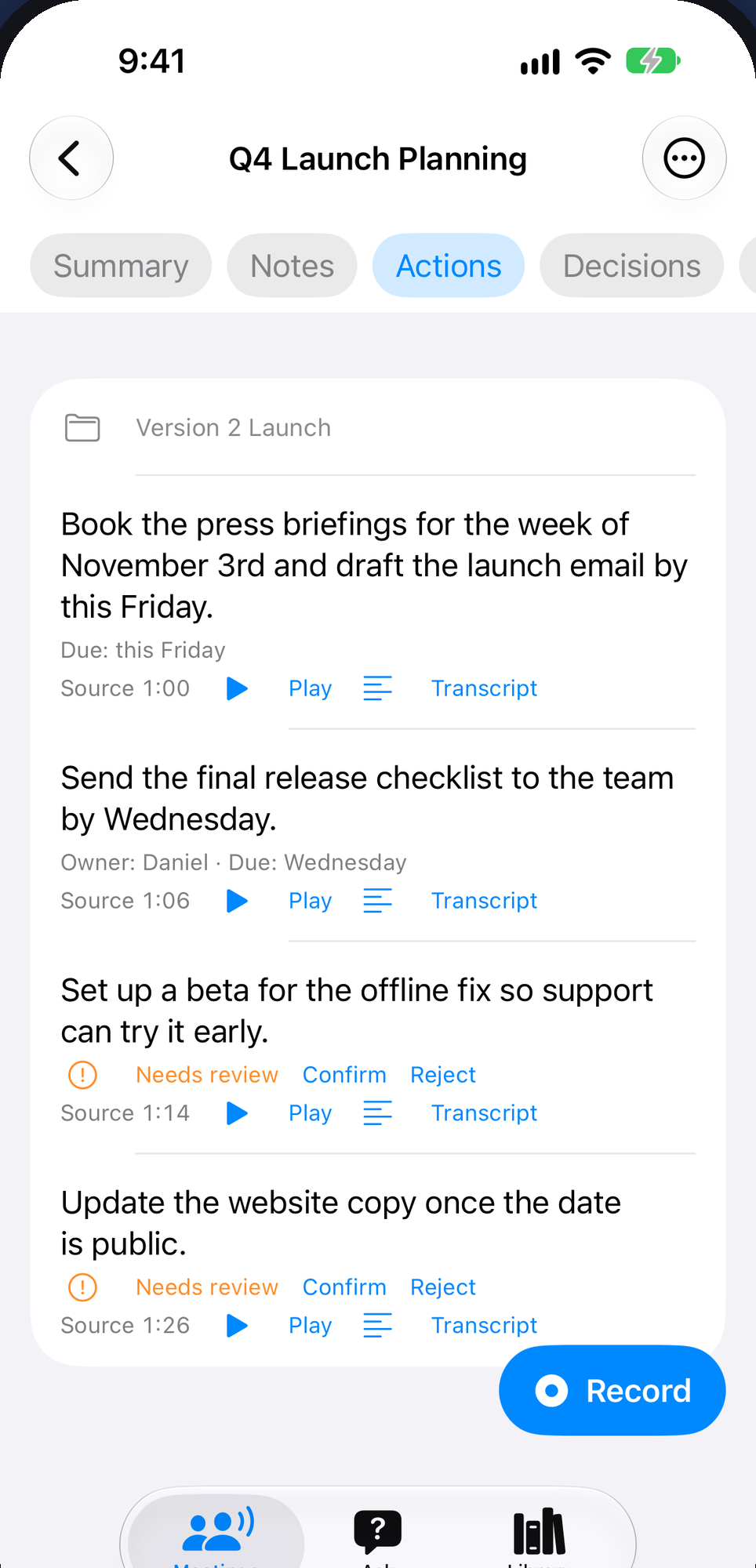
Who owes what, and by when — each action item carries its owner, due date and a link to the moment it was agreed.

  • Decisions are kept apart from the discussion.
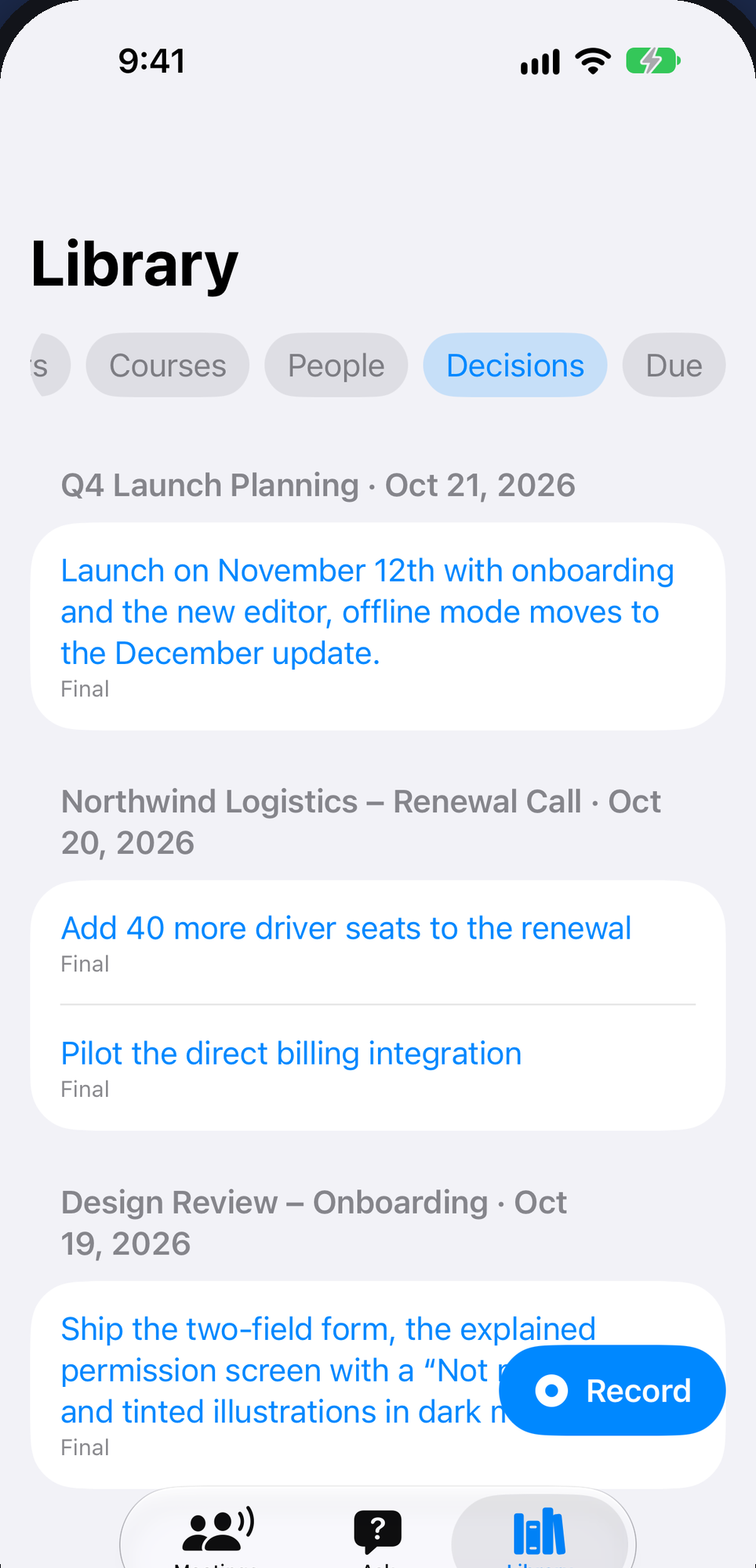
  • Browse every decision across all your meetings.
On Record action items on iPhone with owners, due dates and links to the recording

Private by design

The AI runs on your Mac. Your recordings and results never touch an On Record server, and your meetings are never used for advertising, tracking or AI training.

  • iPhone, iPad and Apple Watch recordings reach your Mac through your own iCloud, and results come back the same way.
  • No account, no sign-up, no meeting bot.
On Record for Mac showing a meeting summary with topics, decisions and actions

Ask your meetings

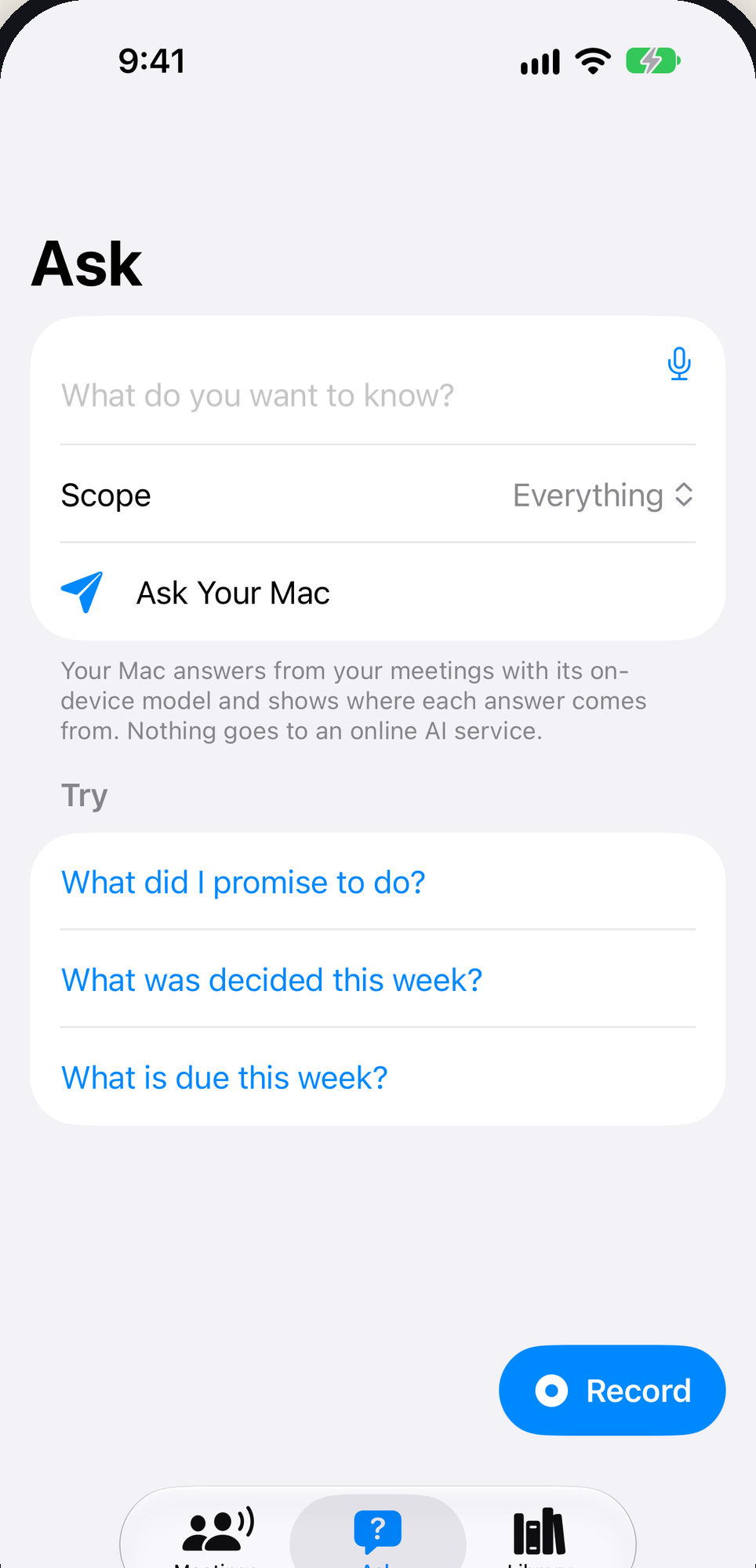
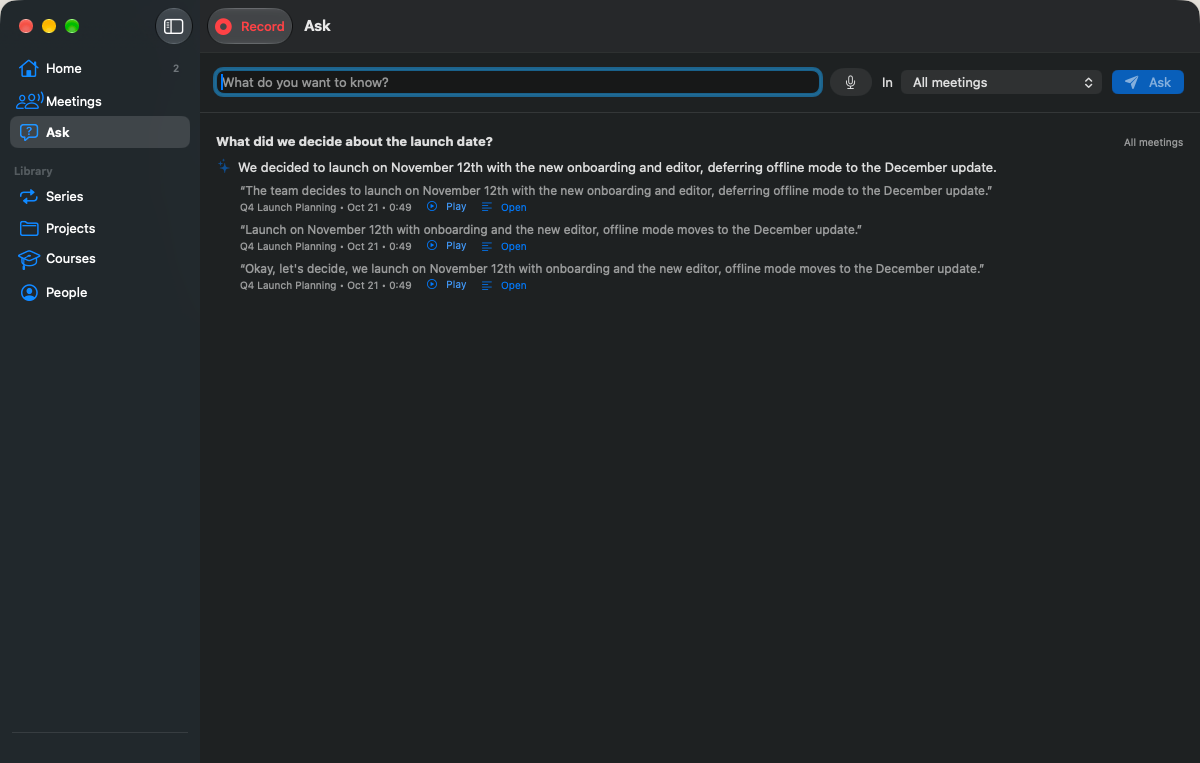
Type or say a question — “What did we decide about the launch date?” or “What did I promise Priya?” — and get a straight answer with links to the meetings and moments it came from.

Ask in On Record on iPhone, with suggested questions such as What did I promise to do?

Record anywhere

One app on every Apple device you carry.

One App Store listing covers Mac, iPhone, iPad and Apple Watch. Recordings from any of them end up written up on your Mac.

  • Mac

    • Records your microphone together with the call audio from Zoom, Teams, Webex or any other app.
    • Imports audio files you already have.
    • Does all the transcription and writing up.
  • iPhone

    • Start in one tap from the app, a Home Screen widget, Control Center, the Action button or Siri.
    • Keeps recording on the Lock Screen with a Live Activity.
  • iPad

    • Record in the app, even offline.
    • Recordings go to your Mac when the iPad is back online.
  • Apple Watch

    • Start, pause and stop from your wrist.
    • Mark important moments while you record.

Privacy

Your meetings stay yours.

No On Record servers. No account. No meeting bot. Your meetings are never used for advertising, tracking or AI training.

Read the privacy policy
  • No account, no analytics, no advertising, no tracking.
  • Transcription and AI writing run on your Mac.
  • Recordings move between your devices only through your own iCloud.
  • Your meetings are never used to train AI.

Keep it organized

A memory that grows with every meeting.

  • Name speakers once and On Record suggests them in future meetings.

  • Group meetings into series, projects and courses.

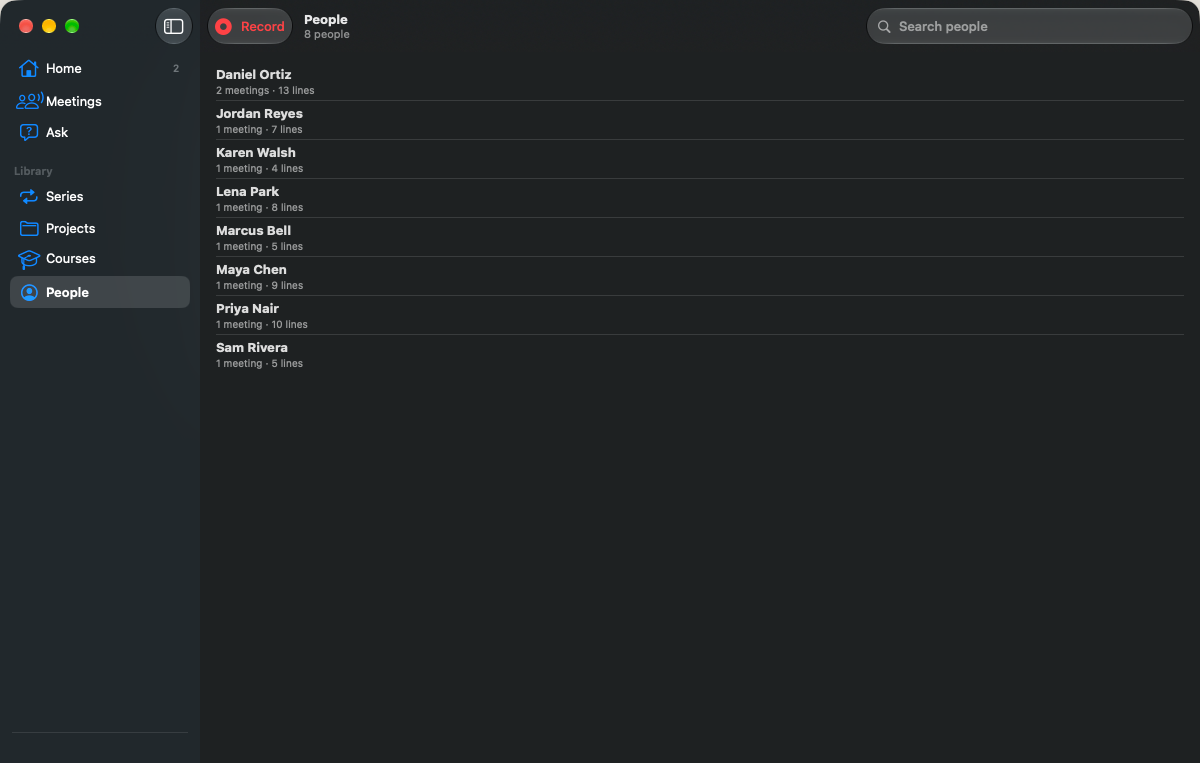
  • Browse everyone you meet with and every decision across your meetings.

  • Teach it names and acronyms with your own vocabulary.

  • Export a meeting as a PDF or text, with or without the transcript and audio.

Use cases

Made for

  • Team meetings

    Leave with the decisions and the action items already written down, with owners and due dates wherever they were said.

  • Client and sales calls

    Record your microphone together with the call audio from Zoom, Teams, Webex or any other app on your Mac.

  • Interviews

    A transcript split by speaker, where every line plays back the moment it was said.

  • Lectures and courses

    Group recordings into courses and series, then ask questions across all of them.

Compatibility

What you need

  • Mac
  • iPhone
  • iPad
  • Apple Watch
  • A Mac with Apple silicon running macOS 15 or later does the transcription and writing up.
  • iPhone and iPad (iOS / iPadOS 18 or later) and Apple Watch (watchOS 11 or later) record and show results. They need On Record on your Mac, signed in to the same iCloud account.
  • Language models are downloaded once from inside the Mac app.
  • Made for meetings in English.

On Record — coming soon to the app store

Follow the updates page for release news. Questions in the meantime are always welcome.

Coming soon to the App Store
Read the latest updates

FAQ

Questions, answered

Can’t find what you need? Visit On Record support.

Do I need a Mac?

Yes. A Mac with Apple silicon does the transcription and writing up. iPhone, iPad and Apple Watch record and show the results; they need On Record on your Mac, signed in to the same iCloud account. It is the same app on every device.

Where do my recordings go?

They stay on your devices. Recordings from iPhone, iPad and Apple Watch travel to your Mac through your own iCloud account, and results come back the same way. There is no On Record server.

Do I need an account?

No. On Record has no sign-up and no login.

Does a bot join my calls?

No. On the Mac, On Record records your microphone together with the audio other apps play — such as a Zoom, Teams or Webex call. Nothing joins the meeting.

Which languages are supported?

On Record is made for meetings in English.

Can I share a meeting?

Yes, when you choose to. Export a meeting as a PDF or text, with or without the transcript and the original audio, and send it however you like.

Is it legal to record a meeting?

Recording laws differ by place. Follow the law where you are and get people’s consent before recording them.

More from Chris

Coming soon to the App Store and Google Play

Pilot Buddy

Your flight sim co-pilot.

Three tools flight simmers reach for most — course reversal headings, crosswind and headwind components, and airport runways and frequencies — in one offline app for iPhone, iPad and Android. For flight simulator use only.

  • iPhone
  • iPad
  • Android
Available now

ATLsim – CoPilot

A voice-controlled checklist co-pilot for your flight simulator.

CoPilot Checklist reads your aircraft checklists aloud and listens for your responses, so you can run challenge-and-response checklists hands-free in your Windows flight simulator.

  • Windows