CoPilot Checklist logo: a headset with a check markAvailable now

ATLsim – CoPilot

A voice-controlled checklist co-pilot for your flight simulator.

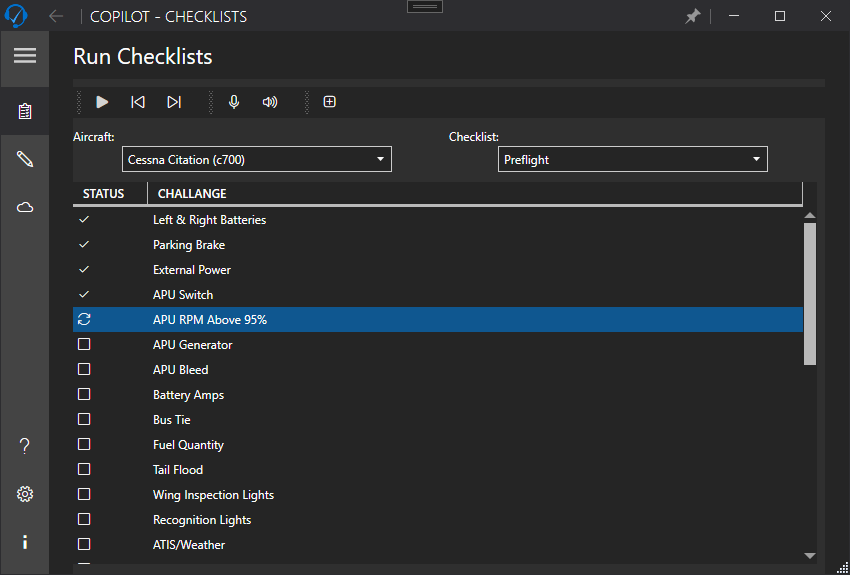
CoPilot Checklist reads your aircraft checklists aloud and listens for your responses, so you can run challenge-and-response checklists hands-free in your Windows flight simulator.

Available on the Microsoft Store
  • Windows
CoPilot Checklist running a Cessna Citation preflight checklist, with completed items ticked

Overview

Why ATLsim CoPilot

CoPilot Checklist is part of the ATLsim CoPilot series of flight simulator add-ons. It acts as your first officer for checklists: it reads each challenge aloud, listens for your response, and moves on.

Build checklists for any aircraft, run them by voice, and share them with — or download them from — other simmers.

Features

What it does

Hands-free challenge and response

Say “Start checklist” and CoPilot reads each item aloud and waits for a valid response. Skip, repeat, go back, pause or reset — all by voice.

  • “Load aircraft …”, “Start checklist …”, “Next checklist”
  • “Say commands” lists what you can say at any time.
  • “Stop listening” mutes the microphone until you say “Start listening”.
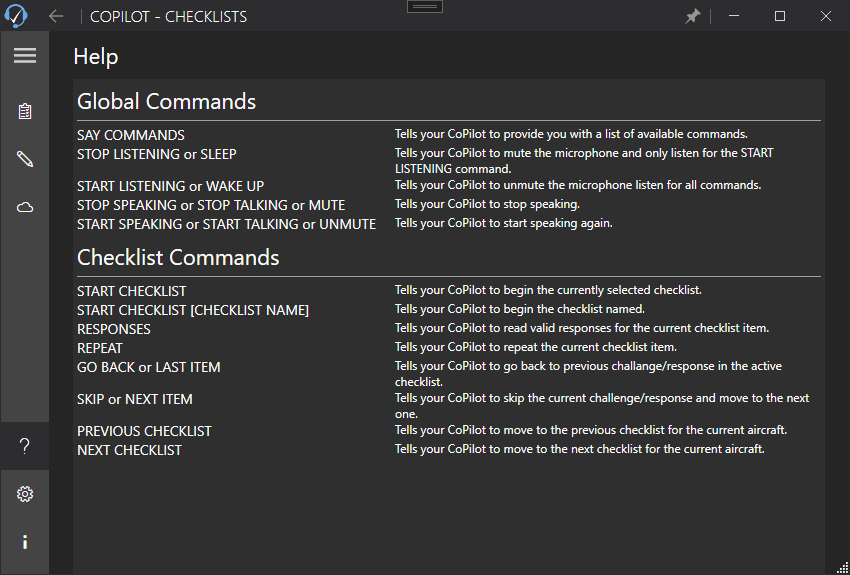
CoPilot Checklist help page listing global and checklist voice commands

Checklist Manager

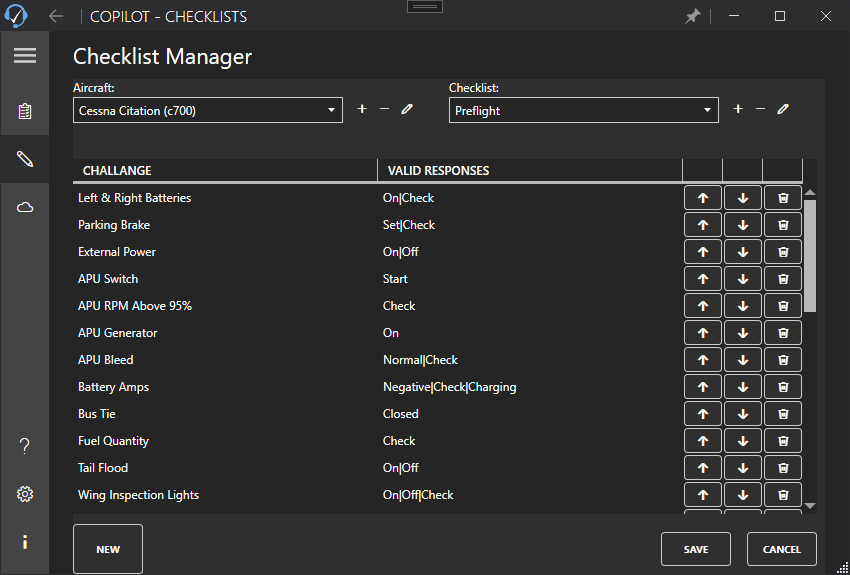
Create aircraft and checklists, add steps with their valid responses, reorder them, and copy an aircraft or checklist as a starting point for a new one.

CoPilot Checklist Manager editing a preflight checklist with challenges and valid responses

Cloud checklists (optional)

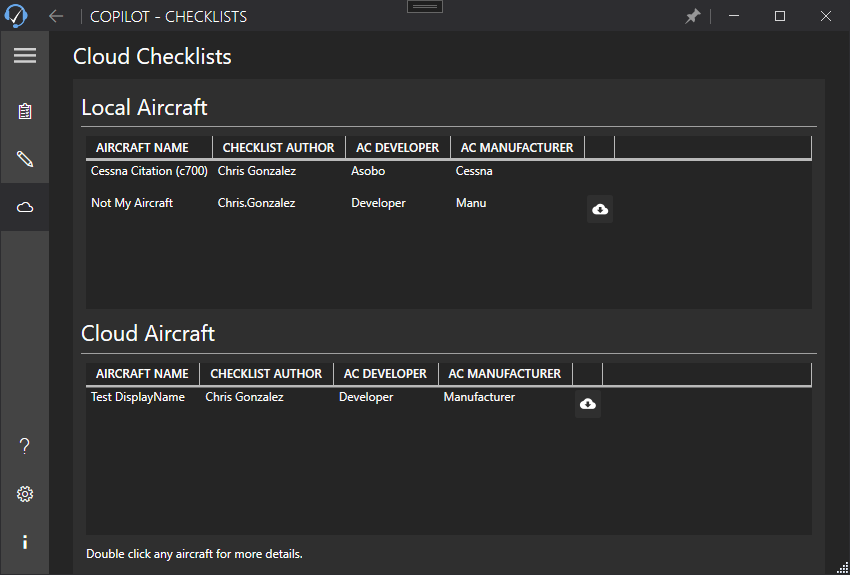
Off by default. Turn it on to share your aircraft and checklists with the community, and download checklists other simmers have made, with the checklist author and aircraft developer shown for each.

CoPilot Checklist cloud page listing local and shared aircraft with authors and developers

Make it sound right

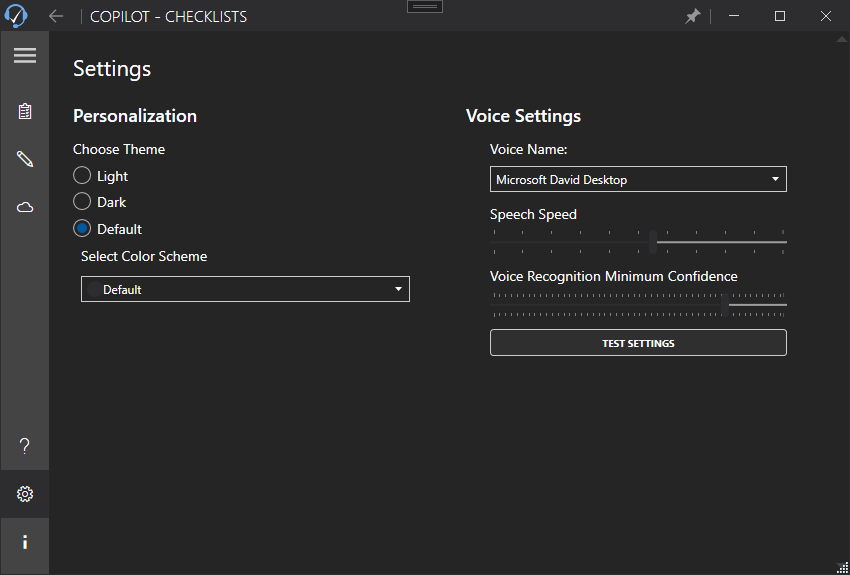
Pick the voice, set the speaking speed, and tune how confident speech recognition must be before it accepts a response. Light, dark and high-contrast themes.

CoPilot Checklist settings for voice, speech speed and recognition confidence

Use cases

Made for

  • Realistic flows

    Run your checklists the way a two-person crew does, with your hands on the controls.

  • Any aircraft

    Write checklists for the aircraft you fly, or start from one someone else shared.

Compatibility

What you need

  • Windows
  • Windows 10 (version 1607) or later.
  • A microphone and speakers or headset.
  • Uses the speech voices installed in Windows.
  • Cloud checklists are optional and off by default; turning them on needs an internet connection and a free username.

Get ATLsim CoPilot

A voice-controlled checklist co-pilot for your flight simulator.

Available on the Microsoft Store

FAQ

Questions, answered

Can’t find what you need? Visit ATLsim CoPilot support.

Which simulators does it work with?

CoPilot Checklist runs alongside your simulator as a separate Windows app and does not read data from the simulator, so it can be used with any flight simulator on Windows.

Do I need an account?

No. Cloud checklists are optional and off by default; a free username is needed only if you turn them on to share or download checklists. Running and editing your own checklists works without one.

Where can I download it?

CoPilot Checklist is available on the Microsoft Store for Windows.

More from Chris

Coming soon to the App Store

On Record

Private meeting notes, made on your Mac.

On Record listens to your meetings and writes them up — summary, decisions, action items and a full transcript — with every point linked to the moment it was said. All of it is made on your own Mac.

  • Mac
  • iPhone
  • iPad
  • Apple Watch
Coming soon to the App Store and Google Play

Pilot Buddy

Your flight sim co-pilot.

Three tools flight simmers reach for most — course reversal headings, crosswind and headwind components, and airport runways and frequencies — in one offline app for iPhone, iPad and Android. For flight simulator use only.

  • iPhone
  • iPad
  • Android